Connect Your AI Assistant with Obato via MCP (Model Context Protocol)
Obato's public MCP server (Model Context Protocol) makes boat listings live-searchable for ChatGPT, Claude, and other AI assistants. Here's how to connect it.
You can now have AI assistants like Claude and ChatGPT search directly in Obato's boat listings. This works via an open standard called Model Context Protocol — or MCP for short. Obato has published a public, read-only MCP server, and on the Connect your AI assistant with Obato page, you'll find the exact steps to link it.
What is MCP (Model Context Protocol)?
MCP stands for Model Context Protocol. It is an open standard, originally introduced by Anthropic and now widely supported, that describes how AI models can securely and in a standardized way invoke "tools" and data sources. You can think of it as a USB port for AI: one protocol, many servers, many clients.
Obato's MCP server is read-only. This means that a connected AI assistant can only request public information (search results, listing details, market statistics, brands, marinas, rental offerings). Nothing can be modified, posted, or deleted via the server.
The Official Obato MCP Server
Obato's MCP server is accessible at:
- Server URL:
https://obato.eu/mcp - Transport: Streamable HTTP
- Discovery map:
https://obato.eu/.well-known/mcp.json - Authentication: none — public read-only
How to Connect ChatGPT or Claude?
Important correction to a common misconception: you do not connect an MCP server by pasting the URL into a prompt. An MCP server is configured as a connector in your AI client. The complete, updated steps are on /verbind-je-ai-assistent. In general:
- Claude (Claude.ai or Claude Desktop): open Settings → Connectors → Add custom connector, paste the server URL above, and confirm. The Obato tools (such as
search_boats,search_rentals,get_market_stats) will then automatically appear in your conversation. - ChatGPT (Plus/Pro/Business with Connectors): add the server URL as a custom connector in Settings → Connectors. For MCP tooling, a paid plan is currently required on both platforms.
- Other MCP clients: any client that supports the MCP specification can connect via the same URL.
Which Tools Does the Obato MCP Server Offer?
The server currently provides eleven read-only tools (also see the live discovery map):
search_boats— search listings by free text, category, region, and price range.get_boat_details— full details of one listing by slug or ID.get_market_stats— market statistics per category or region.compare_brands— head-to-head brand comparison.get_boat_pricing_stats— pricing statistics (average, median, p25/p75) per category.find_marina_with_amenities— marinas with specific amenities (power, water, fuel, Wi-Fi).search_rentals— boat rentals, with filters by type, region, capacity, price/day, and date.ask_bo— ask Bo a question; a substantiated answer with sources.market_snapshot— real-time overview of the European market.get_brand_info— brand info from the knowledge graph.get_facts— citable facts with source attribution.
Example Questions for Your AI Assistant
Once the connector is active, you ask questions in natural language — the AI will choose which Obato tool to call. A few examples verified by us:
- "Which marinas have power and water?"
- "Compare Jeanneau and Bavaria on average price and offerings."
- "What is the median asking price for motorboats between 10 and 12 meters?"
- "Which sloops are for rent in Friesland under €200 per day?"
Security and Privacy
Because the server is read-only and does not require authentication, no action via MCP affects your Obato account or the data of other users. Only public data is returned — the same information publicly available on obato.eu/boats and /rentals.
Learn More
The official instruction page with current screenshots and troubleshooting can be found on /connect-your-ai-assistant. For general background on MCP itself, please refer to the open modelcontextprotocol.io specification.
Frequently Asked Questions
What does MCP stand for?
For Model Context Protocol, an open standard for connecting AI models to external tools and data sources. Not to be confused with other abbreviations.
What is the URL of the Obato MCP server?
https://obato.eu/mcp. The discovery map is at https://obato.eu/.well-known/mcp.json.
Can an AI modify anything on Obato via MCP?
No. The server is exclusively read-only and does not offer write tools.
Do I need a paid AI subscription?
For the use of custom MCP connectors in Claude and ChatGPT, a paid subscription is currently typically required. The Obato server itself is free and public.
Where can I find the official step-by-step guide?
On the Obato landing page /connect-your-ai-assistant.
Gerelateerde artikelen
Executieveiling boten: Gids voor Rijkswaterstaat & Domeinen
Droom je van een betaalbare boot? Ontdek hoe executieveilingen van Rijkswaterstaat en Domeinen Roerende Zaken werken en wat de risico's zijn.
Online Bootveiling: De Ultieme Gids voor Nederland
Ontdek hoe een online bootveiling werkt. Leer de voor- en nadelen, kosten en tips. Vind jouw droomboot of verkoop direct via Obato!
Bootveiling Friesland: Jouw Gids voor het Kopen van een Boot
Op zoek naar een bootveiling in Friesland? Ontdek waar je veilingen vindt in Sneek en Leeuwarden, hoe het werkt en krijg expert tips voor een slimme aankoop.
Boten bij dit onderwerp
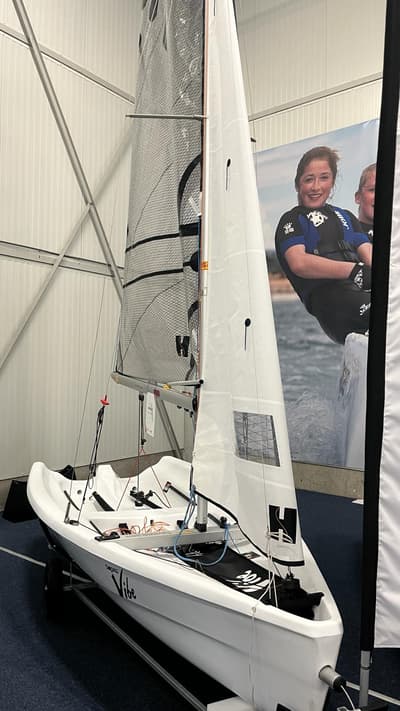
Topper Topaz Vibe Race XT 2023 – Demomodel met korting
€ 8.359
Kawasaki Ultra 310X 2026 – 300 PK waterscooter nieuw model
€ 23.795
Clever 63 Tender 2025 – Actiemodel inclusief Suzuki 30pk
€ 39.553
Whaly sloepen – polyester boten in diverse modellen
Prijs op aanvraag
Meer over dit onderwerp
Obato jetzt auch auf iPhone & iPad — Download im App Store
Die Obato-App ist ab sofort auch für iPhone und iPad im Apple App Store verfügbar — neben der bestehenden Android-Version. Boote kaufen, verkaufen und mieten in ganz Europa.
J/80 te koop - Vind uw droomzeilboot op Obato
Zoekt u een J/80 zeilboot? Op Obato vindt u een actueel en divers aanbod van deze populaire sportieve kielboot voor wedstrijden en recreatieve tochten.
Obato est désormais sur iPhone & iPad — téléchargez sur l'App Store
L'app Obato est désormais disponible pour iPhone et iPad sur l'Apple App Store, en plus de la version Android existante. Achetez, vendez et louez des bateaux partout en Europe.
